


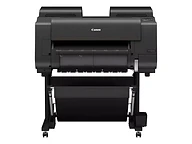
imagePROGRAF PRO-2600
Best for: Photographers, fine-art printers, and design studios producing exhibition-quality prints up to 24 inches wide
- Output: Wide format
- Max size: 24 in wide
Nashville · Since 1982Family-owned in Nashville, TN · Since 1982Family-owned in Nashville, TN · Serving the Southeast since 1982

 imagePROGRAF TX-1300 MFP Z36
Mid-volume 36-inch printing with a high-volume Z36 scanner and SmartWorks, in a compact footprint.
Best for: Smaller architecture, engineering, and construction offices that want full-size print, copy, and scan in one compact 36-inch system
Overview
The imagePROGRAF TX-1300 MFP Z36 is a complete 36-inch print, copy, and scan system. It pairs a five-color printer built for mid-volume work with Canon's high-volume Z36 scanner and SmartWorks MFP software on a 15.6-inch touchscreen controller, all mounted on one stand. Canon positions it as the TX Series option for small spaces that still need speed and full scanning capability.
The printer runs up to 3.2 ARCH D (24 × 36 inch) pages a minute from one top-loading roll 8 to 36 inches wide, with a flat-top design for simple media loading, full front operation, and a flat stacking basket that keeps drawings neatly stacked. Its five-color LUCIA TD pigment inks include an updated Matte Black for crisper lines and sharper text on plain paper; it ships with a 130 ml Matte Black and 90 ml colors, takes 130 ml or 300 ml replacements, and tanks can be swapped while printing. A 256 GB hard drive with encryption and secure erase, direct printing from a USB thumb drive, and PDF among its print languages round out the printer.
The Z36 scanner uses a single contact image sensor and long-life LED lighting to scan originals up to 38 inches wide and 1 mm thick at up to 1,200 dpi, at up to 13 inches per second in monochrome and 3 in color at 200 dpi, and copies in color at 6 inches per second. SmartWorks MFP handles scan to copy, file, and email, saving TIFF, JPEG, and multipage PDF, and its real-time image viewer lets you deskew, crop, and adjust brightness before you print, without rescanning. Security includes Secure Boot, TLS 1.3, SNMPv3, 802.1X, a secure event log, pattern printing, and PIN code authorization.
Key features
A 36-inch contact image sensor scanner with up to 1,200 dpi optical resolution. It scans at up to 13 inches per second in monochrome and 3 in color at 200 dpi, copies in color at 6 inches per second, and takes originals up to 38 inches wide and 1 mm thick.
Copy, scan to file, or scan to email from a 15.6-inch touchscreen controller. The real-time image viewer lets you deskew, crop, and adjust brightness, then preview and edit without rescanning. Saves TIFF, JPEG, and multipage PDF.
A flat-top design for simple media loading, full front operation, and a flat stacking basket that neatly stacks drawings, all in a system about 50.6 inches wide.
Five pigment inks with an updated Matte Black for crisper lines and sharper text on plain paper. Ships with a 130 ml Matte Black and 90 ml colors, takes 130 ml or 300 ml replacements, and tanks hot-swap while printing.
A 256 GB hard drive with HDD encryption and secure erase, plus Secure Boot, TLS 1.3, SNMPv3, 802.1X, a secure event log, pattern printing, and PIN code authorization.
Print directly from a USB thumb drive at the printer, with PDF, JPEG, HP-GL/2, and HP RTL among the supported print languages.
Buying guide
The imagePROGRAF TX-1300 MFP Z36 is for offices that copy and scan drawings as often as they print them, but do not need a production printer: smaller architecture, engineering, and construction firms, facilities and government departments, and university planning offices. The Z36 scans at up to 1,200 dpi, handles originals up to 38 inches wide and 1 mm thick, and its SmartWorks screen lets you straighten, crop, and lighten a scan before it prints.
If scanning is occasional, the TM-610M builds a 600 dpi scanner into the printer itself and runs from the printer's own 5-inch screen, at a lower cost. If you do not need scanning at all, the TM-615 has the same 3.2 D-size print speed, hard drive, and flat stacking basket. If you print in volume, the TX-3300 series steps up to 160, 330, and 700 ml ink tanks and an optional second roll.
The TM-610M also prints and scans at 36 inches, with its scanner built into the printer and run from a 5-inch screen; the TX-1300 MFP Z36 uses the separate Z36 scanner at up to 1,200 dpi instead of 600, takes originals up to 38 inches wide and 1 mm thick, and adds SmartWorks editing on a 15.6-inch touchscreen, a 256 GB encrypted drive, and a flat stacking basket.
See the Canon imagePROGRAF TM-610 / TM-610MThe TM-615 shares the TX-1300's 3.2 D-size print speed, ink tanks, 256 GB encrypted drive, and flat stacking basket but has no scanner; the TX-1300 MFP Z36 adds the Z36 scanner, SmartWorks controller, and direct thumb-drive and PDF printing.
See the Canon imagePROGRAF TM-615The TX-3300 series is the production step up, at 3.3 D-size prints a minute with 160, 330, or 700 ml ink tanks and an optional second roll; the TX-3310 MFP Z36 pairs it with the same Z36 scanner and SmartWorks.
See the Canon imagePROGRAF TX-3300 / TX-3310 MFP Z36Included with every system
The imagePROGRAF TX-1300 MFP Z36 is the same everywhere. What's different is the 44 years of local service behind it.
We deliver, unbox, place, and connect the device to your network and every workstation that needs it. You print the first page before we leave.
A Canon-certified technician walks your staff through the panel, scanning workflows, and the everyday things that generate service calls when nobody explains them.
Supplies ship before you run out, based on your device's own meter readings. Genuine Canon consumables only, so your warranty and image quality stay intact.
Local technicians dispatched from our office in Old Hickory, not a national ticket queue. Average response is under four hours.
Lease, rent, or buy. Separate color and mono cost-per-page, no hidden escalators, and a person who answers questions about the contract by name.
The same person from proposal through the life of the system. They know your account, your volumes, and when it's time to talk about what's next.
Related models
Other imagePROGRAF models and nearby large format options.
Best for: Photographers, fine-art printers, and design studios producing exhibition-quality prints up to 24 inches wide
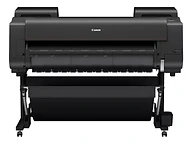
Best for: Photographers, galleries, and fine-art labs producing exhibition-quality prints up to 44 inches wide
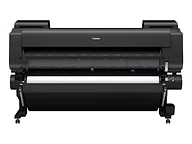
Best for: Fine-art labs, museums, and photographic printers producing exhibition-scale prints up to 60 inches wide
Call, email, or send a message — whichever is easiest for you. We'll take it from there.
Specifications
Specifications are summarized from Canon's published materials and can change; confirm details on the Canon spec sheet or with our team before ordering.

