


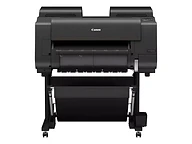
imagePROGRAF PRO-2600
Best for: Photographers, fine-art printers, and design studios producing exhibition-quality prints up to 24 inches wide
- Output: Wide format
- Max size: 24 in wide
Nashville · Since 1982Family-owned in Nashville, TN · Since 1982Family-owned in Nashville, TN · Serving the Southeast since 1982
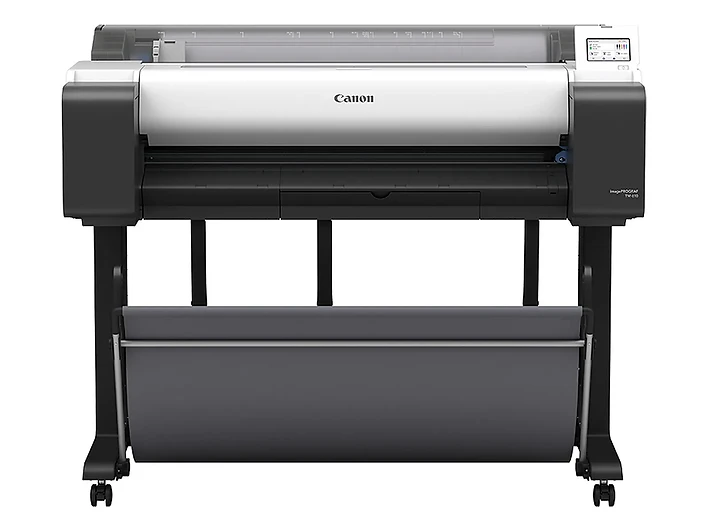
Showing: TM-610
 imagePROGRAF TM-610 / TM-610M
Daily 36-inch drawings and posters, with a full-width scanner built in on the TM-610M.
Best for: Workgroups that print D- and E-size drawings and posters daily, with the TM-610M for teams that also copy and scan full-size sets
Overview
The imagePROGRAF TM-610 is the 36-inch workgroup model in Canon's new TM Series, and it comes in two versions. The TM-610 is a printer. The TM-610M adds a full-width 36-inch scanner built into the top of the machine, the first integrated scanner in the imagePROGRAF line, so the same device can copy an E-size sheet, scan it to a file, or email it without a separate scanner on the floor. Both print up to 3.2 ARCH D (24 × 36 inch) pages a minute from one top-loading roll 8 to 36 inches wide, and both ship on a stand with a stackable basket.
The five-color LUCIA TD pigment ink set includes an updated Matte Black for crisper lines, sharper text, and more vivid posters on plain paper. The printer ships with a 130 ml Matte Black and 90 ml color tanks and takes 130 ml or 300 ml replacements. On the TM-610M, a contact image sensor with dual-side LED illumination scans originals up to 36.5 inches wide at 600 dpi, at up to 5 inches per second in color and 10 in monochrome, and reduces shadows on creased prints. One 5-inch tilting touchscreen runs both printer and scanner, with presets for CAD line drawings, blueprints, tracing paper, posters, and maps, and scans go to USB memory, email, or a shared network folder.
Security is built in, with Secure Boot, TLS 1.3, SNMPv3, 802.1X, a secure event log, pattern printing, and PIN code authorization, and the TM-610M adds whitelisting. USB, Gigabit Ethernet, and Wi-Fi are standard, Mopria and AirPrint let people print from phones and tablets without installing drivers, and PosterArtist, Direct Print Plus, Free Layout Plus, and Accounting Manager are included. Both versions are EPEAT Gold registered, ENERGY STAR certified, and Mopria certified.
Key features
A full-width scanner built into the top of the printer. Copy E-size drawings or scan them to USB memory, email, or a shared folder at up to 5 inches per second in color and 10 in monochrome, with no separate scanner on the floor.
Copy and scan presets cover CAD line drawings, blueprints, inverted blueprints, tracing paper, posters and photos, and drawings and maps. Dual-side LED illumination reduces shadows on creased originals.
Five pigment inks with an updated Matte Black for crisper lines and vivid posters on plain paper. Ships with a 130 ml Matte Black and 90 ml colors, and takes 130 ml or 300 ml replacement tanks.
Both versions measure about 50.6 × 34.2 × 41 inches on their stand with the basket open, so choosing the TM-610M adds scanning without adding floor space.
Gravity-fed ink tanks use virtually every drop and can be changed while printing, and the printer reads media type, length, and width as soon as you load a roll.
Secure Boot, TLS 1.3, SNMPv3, 802.1X, a secure event log, pattern printing, and PIN code authorization help protect the device and your documents. The TM-610M adds whitelisting.
Buying guide
The imagePROGRAF TM-610 is for workgroups that print full-size drawings and posters every day: architecture, engineering, and construction offices running D- and E-size sets, facilities and planning departments, schools, and retail and real estate teams that keep large posters in rotation. Its 130 ml and 300 ml tanks mean far fewer ink changes than the 55 ml tanks on the TM-600, and at 3.2 D-size prints a minute it is the fastest single-function TM model alongside the TM-615.
Choose the TM-610M if your team copies drawings, scans redlined sets back into the project file, or digitizes old plans. Its scanner takes originals up to 36.5 inches wide, sits on top of the printer so it adds no floor space, and shares one touchscreen with the printer. If you want a 256 GB hard drive with encryption and secure erase, or a flat stacking basket, look at the TM-615. If 24 inches is wide enough, the TM-510 and TM-510M are the same design about 12 inches narrower.
The TM-600 shares the TM-610's 36-inch width and footprint but uses 55 ml tanks, prints 2.7 D-size pages a minute instead of 3.2, comes with a catch basket rather than a stackable basket, and has no scanner option.
See the Canon imagePROGRAF TM-600The TM-510 and TM-510M are the 24-inch versions of the TM-610 and TM-610M, with the same ink tanks, scanner option, and touchscreen; they are about 12 inches narrower and print 2.9 D-size pages a minute.
See the Canon imagePROGRAF TM-510 / TM-510MFor a print room that outgrows the TM-610, the TZ-32000 stays at 36 inches but runs two rolls as standard, adds a 100-sheet top stacker and a 500 GB encrypted drive, and prints up to 4 D-size pages a minute.
See the Canon imagePROGRAF TZ-32000Included with every system
The imagePROGRAF TM-610 / TM-610M is the same everywhere. What's different is the 44 years of local service behind it.
We deliver, unbox, place, and connect the device to your network and every workstation that needs it. You print the first page before we leave.
A Canon-certified technician walks your staff through the panel, scanning workflows, and the everyday things that generate service calls when nobody explains them.
Supplies ship before you run out, based on your device's own meter readings. Genuine Canon consumables only, so your warranty and image quality stay intact.
Local technicians dispatched from our office in Old Hickory, not a national ticket queue. Average response is under four hours.
Lease, rent, or buy. Separate color and mono cost-per-page, no hidden escalators, and a person who answers questions about the contract by name.
The same person from proposal through the life of the system. They know your account, your volumes, and when it's time to talk about what's next.
Related models
Other imagePROGRAF models and nearby large format options.
Best for: Photographers, fine-art printers, and design studios producing exhibition-quality prints up to 24 inches wide
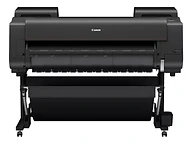
Best for: Photographers, galleries, and fine-art labs producing exhibition-quality prints up to 44 inches wide
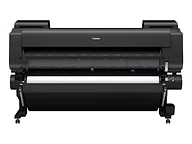
Best for: Fine-art labs, museums, and photographic printers producing exhibition-scale prints up to 60 inches wide
Call, email, or send a message — whichever is easiest for you. We'll take it from there.
Specifications
Specifications are summarized from Canon's published materials and can change; confirm details on the Canon spec sheet or with our team before ordering.

